Using drivers
First, we need an object of a type which can be imported into
Godot with the glTF importer.
Create an object, such as a default Cube, so we can see it in
the viewport when it is driven. However, this may also be an
invisble object, like an empty. Lets position it somewhere on
the Z axis where it is somewhere which can't be seen during the
cinematic sequence.
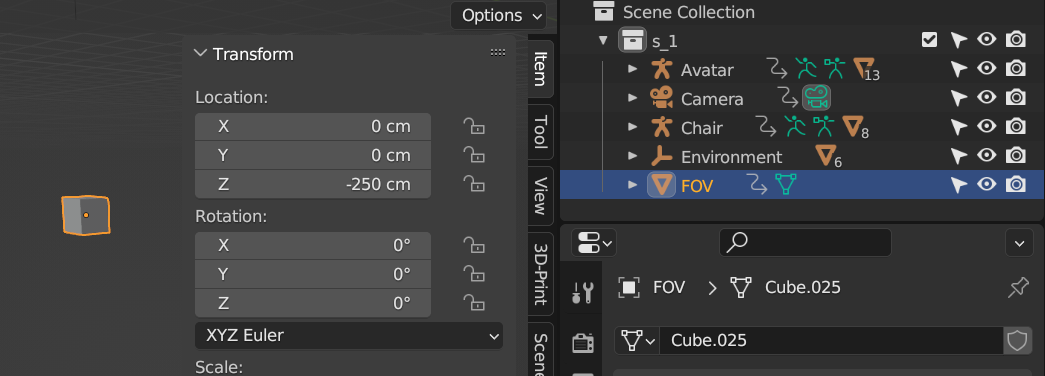
Next, we need to copy a new driver from the scene camera's focal
length parameter.
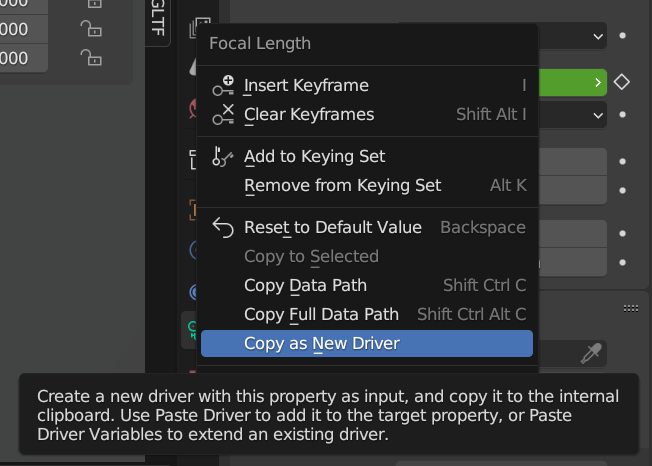
Simply select the scene camera, go to the camera's Data tab
where you find the Focal Length, and right click the parameter
and select Copy as New Driver.
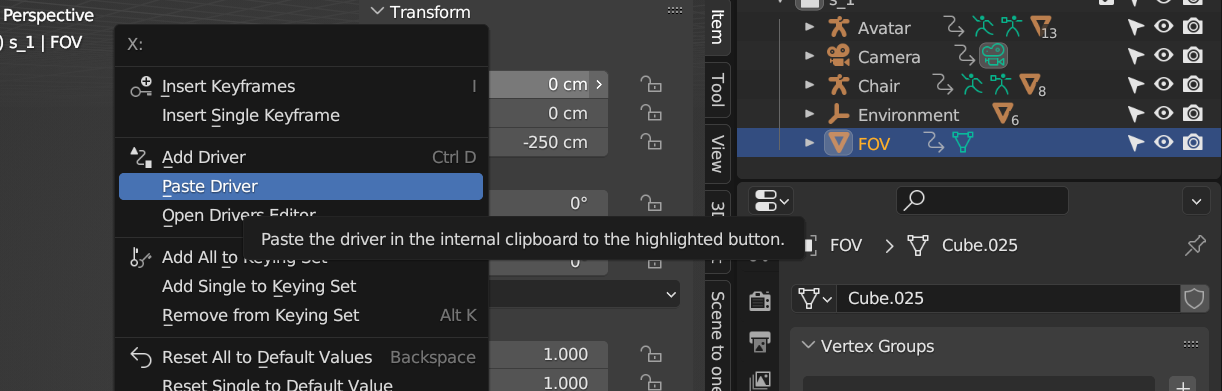
Now paste the driver onto a transform channel of the object that
is to be driven, which in this case if the Cube that was made.
This will result in the position of the cube to be the same
value as the camera's focal length. In this case, 35mm focal
length becomes 3500 in the X-axis.
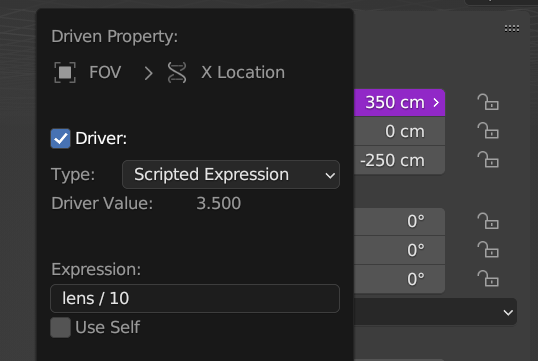
If you don't like the extreme values, for instance due to fear
of floating point errors, then you can make a custom expression
by right clicking the transform channel where you pasted the
driver and selecting Edit Driver. Here, you may change the type
to Scripted Expression and write your own mathematical
expression, for instance by dividing it by 10.
If you do so, then that must be accounted for in the Godot
script below to get the right FOV during the sequence in Godot.
Now, we just need to export it.

 mail me

